btstoto Casino & Sportsbook Mobile App
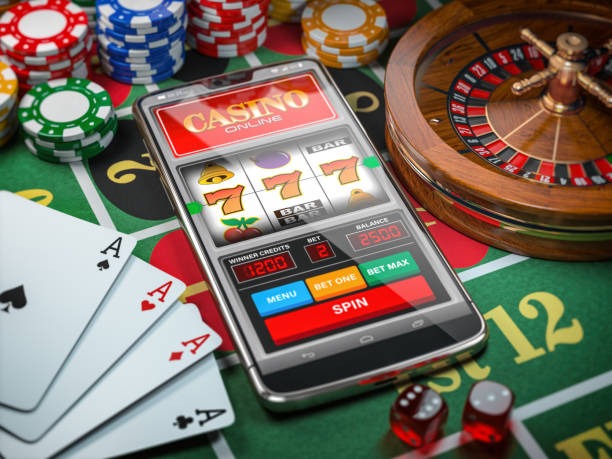
Our btstoto mobile app brings football sportsbook markets, live-dealer tables, and slot games to your phone. Whether you use Android or access via iOS browser, the app delivers the same account, balance, and betting history as the web platform. Installation takes minutes; once verified, you can deposit via e-wallet, mobile banking, local payment, or bank transfer and start wagering on Liga 1, Piala AFF, Champions League, and other tournaments.
- Update
- and
- LoginOTP Verification
Mobile-first design matters for btstoto because live betting on football matches requires speed and reliability. Our app caches match data locally so you can view odds and place bets even if your connection online paymentefly drops. Push notifications alert you to goal updates, settlement results, and account security events. The app also stores your login session securely, so you do not need to re-enter credentials every time you open it.
This page covers Android APK installation, iOS browser access, the installation walk-through, app vs browser comparison, device compatibility, common troubleshooting, and data security on the btstoto mobile app.
Installation Paths for btstoto Mobile
We at btstoto offer three ways to access our platform on mobile devices:
Android APK
Direct download and install on Android 7 and above. Full app features including offline cache and push notifications.
Download APKiOS Browser
Access btstoto via Safari on iPhone and iPad. Responsive design adapts to all screen sizes.
Open in SafariWeb App
Use any mobile browser on any device. No installation required; access btstoto instantly.
Access WebHow to Install and Start Using btstoto
Installation on btstoto follows four straightforward steps:
Download the APK
Visit our download page and tap the Android APK link. The file downloads to your device's default download folder.
Enable Unknown Sources
Go to Settings → Security and enable "Unknown Sources" to allow installation from outside the Play Store.
Install the App
Open your file manager, find the downloaded APK, and tap it. Follow the on-screen prompts to complete installation.
Register and Verify
Open the btstoto app, create an account with your email, and complete KYC verification with ID and address proof.

btstoto App vs Browser: Key Differences
The btstoto app and web browser both access the same account and balance, but they differ in performance and features. Our app caches match schedules, odds, and recent bet history locally on your device. This means you can view Liga 1 fixtures and place bets even if your internet connection drops momentarily. The app also sends push notifications for goal alerts, settlement results, and account security events—features not available in the browser. Loading times on the app are typically faster because data is pre-cached and the interface is optimized for mobile processors. The browser version works on any device with an internet connection and requires no installation, making it ideal for quick access or trying btstoto for the first time. Both versions support deposits via DANA, e-wallet, mobile banking, local payment, and bank transfer, and both enforce the same KYC verification and account security standards.
Device Compatibility and Requirements
The btstoto app requires Android 7.0 or higher. Most Android phones and tablets released in the past five years meet this requirement. If your device runs Android 6 or earlier, you can still access btstoto via the web browser on any device with an internet connection. For iOS users, we recommend Safari on iOS 12 or later. The web version of btstoto is responsive and works on all modern browsers—Chrome, Firefox, Safari, and Edge—on phones, tablets, and desktops. We do not offer a native iOS app through the Apple App Store; instead, iOS users access btstoto through their browser, which provides the same functionality as the Android app.
Common Installation Issues and Solutions
If you encounter problems installing the btstoto app, check the following. First, ensure you have enabled "Unknown Sources" in your Android security settings. Without this, your device blocks installation of APK files from outside the Play Store. Second, verify that you have sufficient storage space on your device—the btstoto app requires approximately 50 MB of free space. Third, if the APK download fails, try downloading again using a different network (WiFi instead of mobile data, or vice versa). Fourth, if installation completes but the app does not open, try restarting your device and then tapping the btstoto icon again. If the app crashes on startup, uninstall it, clear your device's cache, and reinstall the latest APK. If you continue to experience issues, contact our support team via email or live chat with details about your device model and Android version.

Data, Permissions, and Account Security on btstoto
The btstoto app requests only the permissions it needs to function: internet access (to connect to our servers), storage access (to cache match data and app files), and notification permissions (to send you alerts). We do not request access to your contacts, photos, location, or other sensitive data. Your login credentials are encrypted and stored securely on your device. When you log in, the app establishes an encrypted connection to our servers using HTTPS/TLS. Your account balance, betting history, and personal information are never stored in plain text on your device. If you lose your phone or want to log out remotely, you can reset your btstoto password anytime from the web version, which automatically logs you out of the app on all devices. We recommend enabling two-factor authentication (2FA) on your btstoto account for additional security. If you suspect unauthorized access, change your password immediately and contact our support team.
Key takeaways
- btstoto app is available for Android 7+ via direct APK download; iOS users access via Safari browser
- Installation takes four steps: download APK, enable Unknown Sources, install, and verify your account
- The app caches data locally for faster loading and sends push notifications; the browser requires no installation
- Both app and browser access the same account and balance; they sync instantly
- The app requests only essential permissions and encrypts all sensitive data on your device
Support and Updates for btstoto Mobile
We release updates to the btstoto app regularly to improve performance, add features, and fix bugs. When an update is available, you will see a notification in the app. We recommend installing updates as soon as they are available to ensure you have the latest security patches and features. If you experience issues after an update, try uninstalling and reinstalling the app. Our support team is available via email and live chat during business hours to help with app-related questions or problems. For urgent account security concerns, contact support immediately. You can also access our FAQ page anytime for common questions about deposits, withdrawals, account verification, and betting on Liga 1, Piala Indonesia, Piala AFF, and Champions League tournaments.
The btstoto mobile app is designed for users in supported jurisdictions where online wagering is legally permitted. By downloading and using our app, you acknowledge that you are responsible for verifying compliance with your local laws. Our app supports football sportsbook markets across Liga 1, Piala Indonesia, Piala AFF, Piala Asia, and Champions League, alongside live-dealer tables and slot games. Whether you choose the Android app or iOS browser, your account security and data protection remain our priority.